
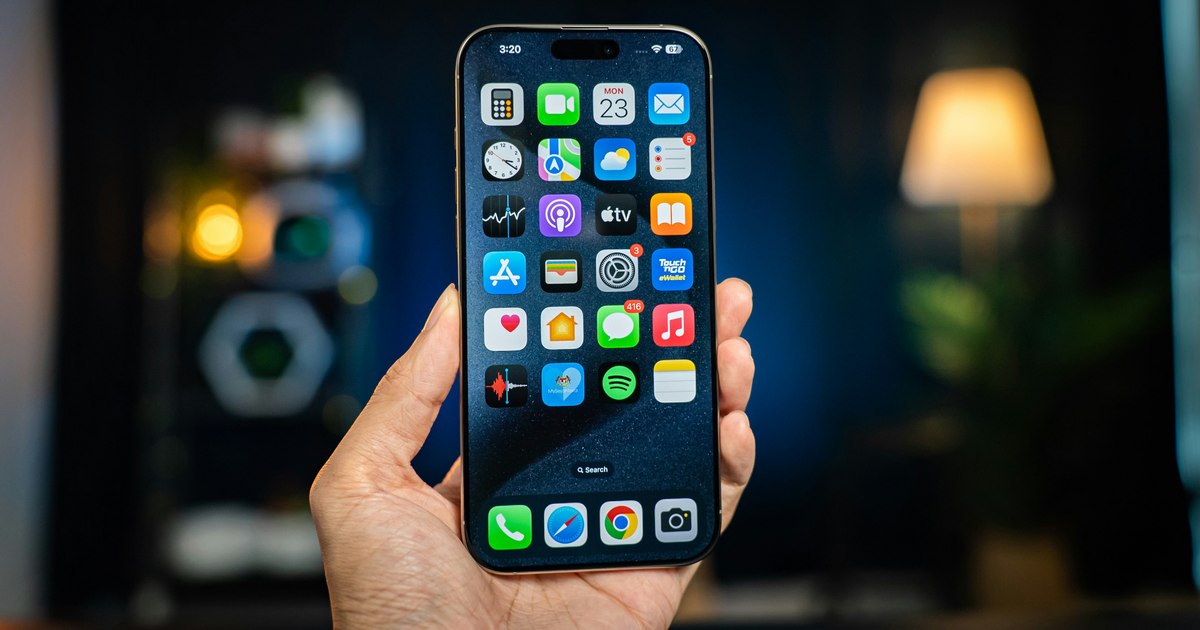
In the digital era, photography has become an integral part of our lives, and modern smartphones, such as iPhone 16 Pro Max, have transformed how we capture important moments.
With an advanced camera system, the iPhone 16 Pro Max offers top functions that rivate with professional cameras, being ideal for both photography and professionals. Whether you photograph landscapes, portraits or film videos, this device can help you express your creativity at a higher level.
Explore the power of the main room of 48sqm
The 48mp main camera of the iPhone 16 Pro Max is a real strength, offering an impressive resolution and remarkable details. Due to the second generation quad-pixel sensor, this camera captures clear images even under difficult lighting conditions. To make the most of this feature, we recommend working Proraw Max mode, which allows you to capture images at the full 48MP resolution. Go to Settings> Camera> Format and Select Proraw & Control Resolution, then choose Proraw Max. This setting is ideal for subsequent editing in applications such as Adobe Lightroom, where you can adjust the exposure, colors and details without losing the image quality.
Also, Photonic Engine technology improves image processing, providing an excellent balance between shadows and bright areas. For landscapes or scenes with high contrast, experience with manual exposure, reducing it easily (for example, to -0.3) to avoid over -exposure of the sky or faces. This approach will help you get vibrant and well balanced images.
Take advantage of the 48sqm ultra-wide camera
One of the remarkable news of the iPhone 16 Pro Max is the 48MP Ultra-Wide camera, a significant improvement in the previous models, which had only 12MP. This room, with a 13mm angle and a f/2.2 diaphragm, is perfect for landscape photographs, architecture or group frames. To maximize quality, activate Proraw mode for this camera, which allows you to capture fine details, even in the corners of the image. Also, the function of correction of the distortion of the lens (available in settings> room> lens correction) reduces the curving effects on the edges of the ultra-wide photos, offering a natural appearance.
If you are passionate about macrophotography, the ultra-wide camera allows you to photograph topics from a distance of only a few centimeters. To manually control the macro mode and avoid automatic switching, activate the macro control from the camera settings. This gives you flexibility in capturing tiny details, such as flowers or insects, with amazing clarity.
Use the Telephoto 5X lens for portraits and zoom
The 12MP Telephoto lens of the iPhone 16 Pro Max, with 5x optical zoom (120mm equivalent), is ideal for remote portraits and photos. Unlike previous models, this lens is now available on both PRO models, not just on the max, which makes iPhone Pro Max to be an excellent choice for photos that want to capture distant topics without losing clarity. For portraits, use the portrait mode and adjust the level of fading of the background (F-stop) after capture, accessing the Pictures application. This allows you to adjust the Bokeh effect to get a professional look.
For optimum results, avoid excessive digital zoom and use preset focus (0.5x, 1x, 2x, 5x) to maintain image quality. In addition, improved optical stabilization makes the photos taken with zoom clearer, even when holding your phone in your hand.
Record kinematic videos in 4K to 120fps
For videography fans, iPhone 16 Pro Max offers the ability to record 4K videos at 120FPS, which allows the creation of slow-quality slow-method. Enable this setting from settings> camera> video recording and select 4K at 120 FPS. For advanced editing, use Prores Log mode, which offers maximum flexibility in adjusting colors and exposure in applications such as Dacinci Resolve. Also, the four integrated microphones allow to capture the space sound, ideal for immersive videos, such as concerts or natural landscapes.
To get stable videos, activate improved stabilization or use action action for dynamic scenes. These functions reduce the tremor and ensure a professional quality, even in motion. We recommend that you experiment with Photographic Styles, accessible directly from the camera application, to apply color and real tone effects, saving time for editing.
Personalize with Photographic Styles and other tools
One of the most appreciated functions of the iPhone 16 Pro Max is Photographic Styles, which allows you to adjust the colors and tones of the images before the capture. Unlike traditional filters, these styles apply selective adjustments, preserving the tones of the natural skin and allowing the personalization of the tone and color by sliding. Go to this feature through the Camera Control button or the camera application, selecting styles like Vivid, Neutral or Amber, depending on the aesthetics you want.
Also, the editing tools in the Pictures app, such as Clean Up (fueled by Apple Intelligence), allow you to remove unwanted objects from the background, providing a clean and professional look. For a more detailed control, import photos into third -party applications, such as Lightroom, where you can adjust Adobe for more realistic results.
With the iPhone 16 Pro Max, Apple raised the stick in mobile photo, offering a versatile camera system, which combines top hardware with smart software. From the 48MP main camera to the Ultra-Wide and Telephoto 5X lens, this device offers you all the necessary tools to capture professional quality images and videos. By activating settings such as Proraw, 4K at 120FPS and Photographic Styles, you will be able to explore new creativity dimensions. We encourage you to experiment with these functions and discover how iPhone 16 Pro Max can turn your passion for photography into a real art.