
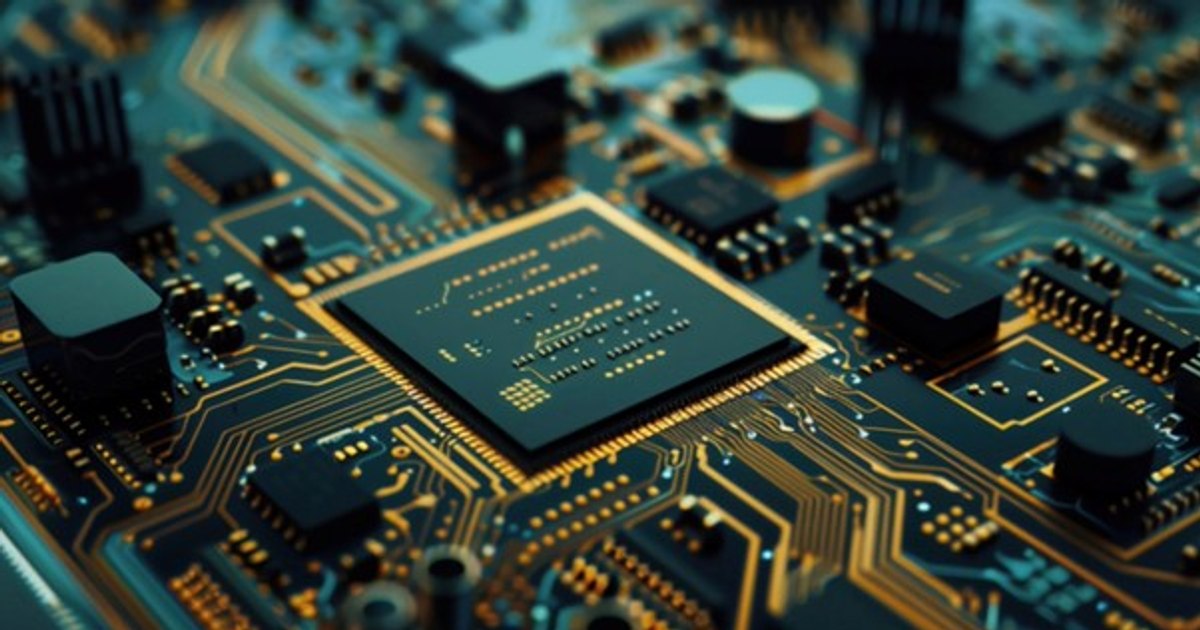
What are the factors you consider when you want to buy a new motherboard in 2025? As it influences performance, the motherboard plays, along with other PC components, a very important role. And we will discuss this today: how you make sure you have chosen the best motherboard for your PC.
Photo: Frepik
How to choose a motherboard: What do you consider if you want a motherboard in 2025?
When you choose a motherboard It is extremely important to consider, first of all, the size of the motherboard. The carcasses for PC or different shapes and sizes, as a result, does not omit the form (size) factor. In addition, neither the socket, the chipset, the RAM, the integrated peripherals, the ports. About all, at large, below.
The form factor or the size of the motherboard
The most popular motherboards are:
·
ATX (Advanced Technology Extended) – measures 305×244 mm, are among the most popular, because they have all the slots and ports needed to configure a complete computer without external additions
·
Microatx – Measure 244 × 244 mm and can afford to build a more compact computer, but without giving up too many ports and slots
·
Mini-itx -measures 170 × 170 mm, ideal for mini-PCs, have a relatively small number of slots and ports
·
E-atx – It is the largest standard in terms of size, it offers larger enlargement possibilities, several graphic cards can be connected at the same time, offers higher performance, but they are even more expensive
Socket
The socket at a motherboard indicates the number and position of the metal contacts present in the slot dedicated to the processor. As a result, it is very important to check if the socket on the motherboard is compatible with the processor you have. The most appreciated sockets, at present, are:
·
LGA 1700 -Socket compatible with Intel Alder Lake processors (12th generation), Raptor Lake (13th and 14th generation) Intel Core, in versions I3, I5, I7 or I9. In addition, it is also compatible with the processors of the Intel Core Ultra 3, 5, 7 and 9 meteor Lake family
·
Am5 – Socket dedicated to AMD Ryzen 3 processors, Ryzen 5, Ryzen 7 and Ryzen 9
Check before buying a motherboard the socket with which the processor you have or you want to buy is compatible. Search Google exactly the processor’s name or check the online plate manual to get accurate information about the processor family it accepts.
Chipset
We can refer to the chipset as the series of connectors, physical paths and integrated circuits that dominate the operation of the motherboard, coordinating the transit of data between CPU, RAM, discs and other peripherals connected to the PC.
A cheap chipset can lead to a lower communication speed or even complete incompatibility. In addition, you may wake up that you don’t have the slots or ports you need. A latest generation chipset, on the other hand, allows you to get complete support.
The choice must be made according to the Intel or AMD processor. In this sense, below you will find the most popular and modern chips.
·
Intel: B660, B760, Z490, Z690, which is compatible with Intel Lake and Raptor Lake processors (12th and 13th generation) and Z790, compatible with Intel Lake, Raptor Lake (12 and 13th generation) and Meteor Lake.
·
Amd: B450, B550, B650/B650E, X570, X670
RAM support
Most of the motherboards accept RAM DDR4, but the Mid-Land and High-end motherboards, especially the newest ones, have introduced DDR5 RAM. The latter offers almost double the DDR4 RAM band width. We are talking about a speed that goes from 2133 to 3200 MHz (DDR4) to 4000, respectively 6050 MHz (DDR5).
However, it is not necessary to use all the available slots to make your computer work. It always uses half of the available slots, so you can take advantage of Dual-Channel, a technology that improves memory performance when working benches are identical.
Integrated peripherals
You can buy a motherboard that comes with Wi-Fi and Bluetooth modules, but there are motherboards that have external antennas. Others may have an integrated audio and/or video module, along with inputs for connecting speakers, headphones, microphones, monitors and other peripherals.
You can consider buying a motherboard that includes some or all these items. You know what you want.
Graphic slot and ports
Do not omit if you want to buy a video card in 2025, nor the graphic slot and port. In the case of the first item, we distinguish like this:
·
SATA – 4 SATA III ports are sufficient
·
PCI-Express X16 – The most popular standards are PCIE 4.0 and 5.0, the latter offering a bandwidth and a double data rate compared to PCI 4.0
·
PCI-Express X1 -A small slot near PCI-Express X16, can accommodate other internal modules, such as Wi-Fi/Ethernet plates or dedicated sound plates and is absent from the MINI-ITX motherboards
·
Slot M.2 (NGFF) – allows the connection of SSD memories compatible with the standard M.2 and a significantly higher data transfer speed
As for ports, a well -supplied motherboard should have:
·
USB ports – at least 6 rear ports, two of which should be USB 3.1 or USB 3.2. Some motherboards also have USB Type-C connector, but if you want maximum speed, opt for USB 4 standard, capable of reaching 40 Gbps speeds
·
Audio jack entry – The motherboards with an integrated audio module allow you to connect audio peripherals through 3.5 mm jacks, which are coded with colors. The more jacks, the better
·
Digital audio input – coaxial or optical sting, for better audio performance
·
Ethernet port – To connect the computer to the router or printer via network cable
·
Video outings – A motherboard with integrated video mode allows to connect a monitor to the PC, and the exits can be HDMI or Displayport