
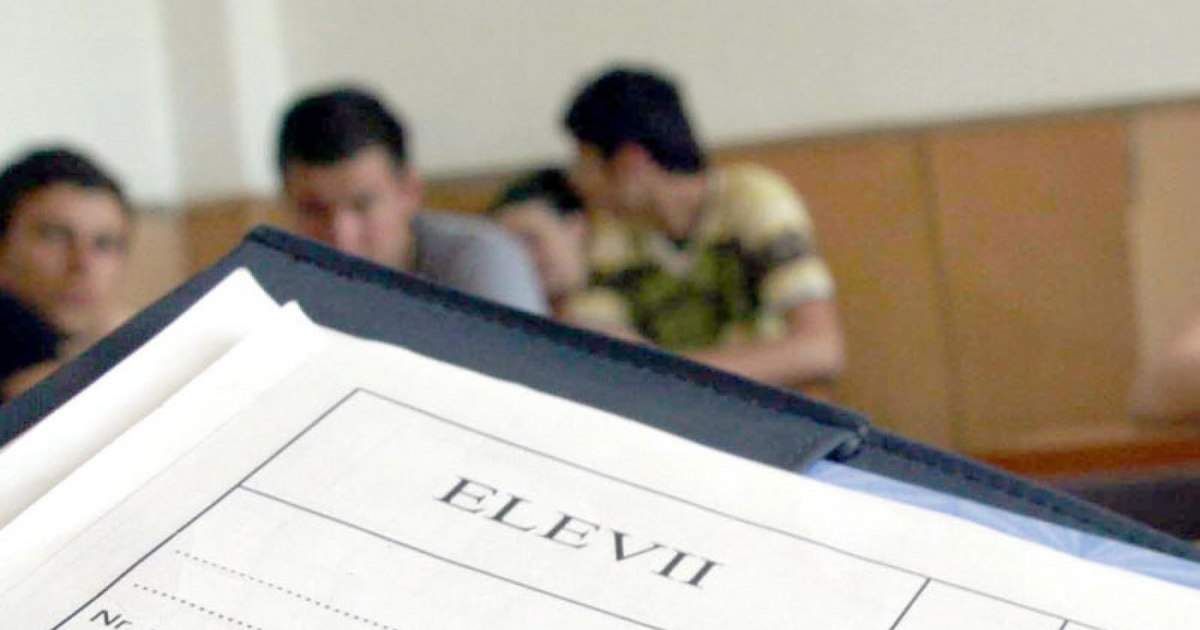
Notes, qualifications, absences, recommendations for parents. All this can be transmitted through the electronic catalog, a newly implemented application in schools in Romania that attempts to digitize the education system. Here are the steps parents must take to access the catalog and, implicitly, the school status of their children.
Soon, the classic catalog will be just a memory. Photo source: archive
Not all schools in Romania have a digital catalog, but only some of them. It is, more precisely, about the educational units chosen to be part of the pilot program. Therefore, parents whose children study in these schools and enter the preparatory class, will receive access to the catalog. This is what happened at the “Regina Maria” secondary school in sector 6 of the Capital, where the parents received the access data at the first meeting. “I received an A4 sheet with the name of the school, the access address, the name of the child and the parent’s code. Also there I found the instructions to create the account”, the mother of a first-grade student told “Adevărul”.
How to register in the electronic catalog
Once home, the parent went online, followed the steps and created the account. “You are only five steps away from knowing everything about your child. Gone are the days of hiding your notebook, pretending to lose it or saying you can’t find it. Now it will be much easier. You log into your account and see in real time what grade he got in math or whether he is in class or not“, the father also declared. Here are the steps to create the elbow.
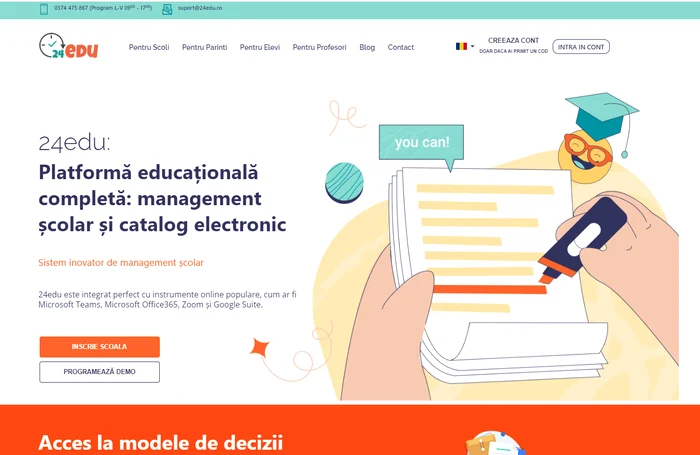
Step 1. Accessing the website
Go to the Internet and access the website www.24edu.ro. Once you have entered the main page of the site, in the upper right corner there is a button “Create Account”. Click that button.
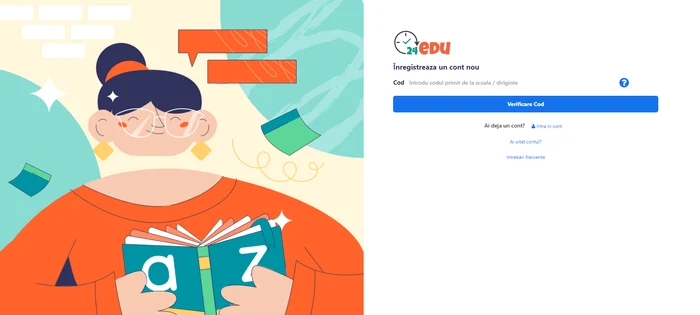
Step 2. Entering the code.
A new page will open for you. The parent’s code, which you received from the school, must be entered in the specially designated field. Then press the “Verify Code” button.
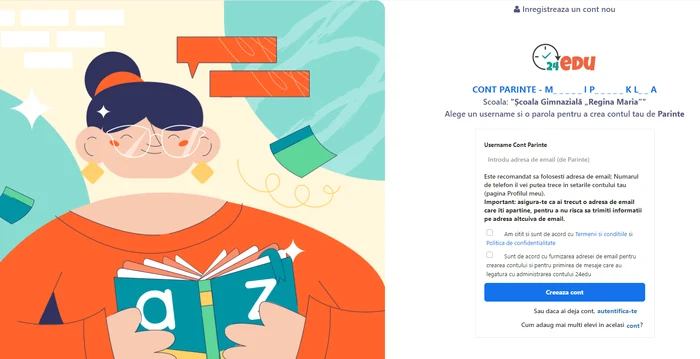
Step 3. Enter your email address.
A new page will open where you have to enter your email address. Then press the “Create account” button.
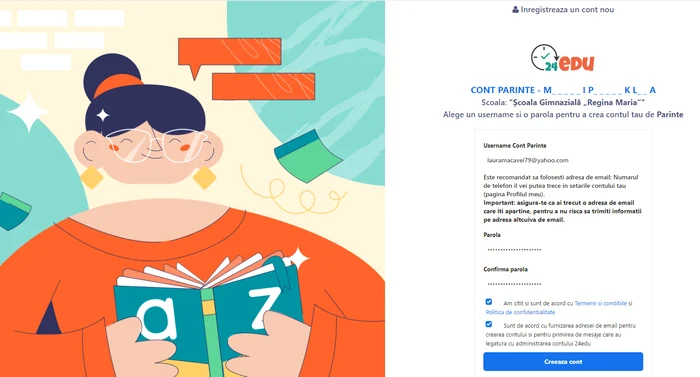
Step 4. Entering the password. A new page will open where you have to enter the account password and then confirm it. Then press the “Create account” button.
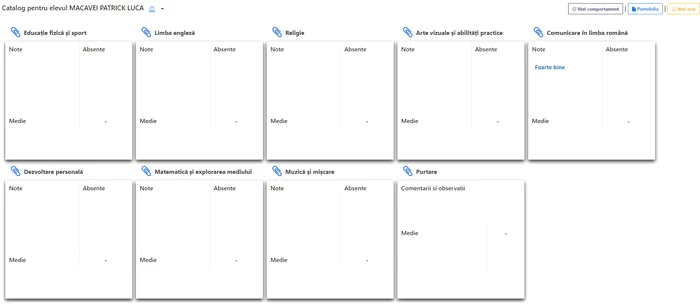
Step 5. Accessing the account. At this moment you will enter your account, where you will be able to see the school situation of the child in each individual subject.
What other information does the electronic catalog contain?
Through the electronic catalog, teachers also send messages to parents regarding the children’s behavior at school, an aspect considered positive by both sides. In the application, children’s behaviors can be added during classes, parents receiving a real-time email message. Positive behavior, active on time, well prepared, optimistic, confident, but also for improvement: inattentive, disrupting class, homework not done, late, no uniform.
At the moment, in Romania more than 2,000 schools use the electronic catalog. This, after Minister Ligia Deca expanded the list. It should be noted that there is no electronic catalog made available by the Ministry of Education. All of these schools use private applications or programs. Moreover, schools must ensure the purchase of the electronic catalog from their own funds, it being forbidden to ask parents for money.