
The computer consists of a series of components that help it to work, influence its performance, fluidity, work, capabilities. There are many PC components that are worth mentioning and you have to pay maximum attention when you want to purchase them separately. What are these components? See in the rows below!
Calculator components Photo source: Unssplash.com
Computer components: The most important components of the computer
The components of the computer should be chosen with great care, as they have a direct impact on the performance of your PC system. The most important components of the computer are the processor, the motherboard, the video card which can be a video card Dedicated for gaming, RAM, PSU power supply, storage unit. To these are added: the cooling system, the PC housing, the peripherals.
More about each one is to discuss, at large, in the lines below.
The processor or brain of your computer
processor
Or the central CPU processing unit is often considered, as we have already mentioned, the brain of any computer. CPU is the one that performs all the calculations and operates the software instructions. The security, efficiency and performance of a computer are significantly influenced by the CPU you choose, so be careful how you choose the computer components.
The processor is evaluated according to its speed that is expressed in GHz, as well as the number of cores, which determines its ability to manage multiple tasks simultaneously. The more nuclei has a processor, the more efficient the computer will be in multitasking and managing the tasks at the same time.
The frequency also, the higher, the more the processor will be able to perform several tasks per second. And here at the processor we can also talk about architecture. Guide yourself according to a processor that is energy efficient, to make better performance, while consuming less than the average.
The motherboard or skeleton of your computer
On the motherboard
Most of the hardware components of the PC system can be mounted. The motherboard contains processor slots, RAM, graphic cards, and ports for storage units, such as SSDs and HDDs.
This also provides electrical connections between all components, allowing them to communicate with each other. If you have to buy a separate motherboard, make sure it is compatible with the other components, such as the processor and RAM. In the technical specification table, look at the information about socket, chipset, expansion slots, USB, HDMI ports, Ethernet.
Video card
Video card
It is the component of the computer responsible for generating the images and graphs displayed on the PC monitor. While many modern processors have integrated graphic capabilities, dedicated video cards offer higher performances and are very effective in games, video editing and 3D modeling.
Modern video cards come with their own storage and memory units, such as GDDR6, which allows them to manage intensive graphics without affecting the processor performance. At the same time we have video card manufacturers as Nvidia and Amd supporting Ray tracing in real time.
If you want to play games at 4K resolutions with Ray Tracing activated, then we recommend that you see the new NVIDIA video cards in the 5000 Series as Nvidia GeForce RTX 5070, 5080, 5090. Or you can consider the new AMD video cards as AMD RX 7900 XTX.
RAM memory
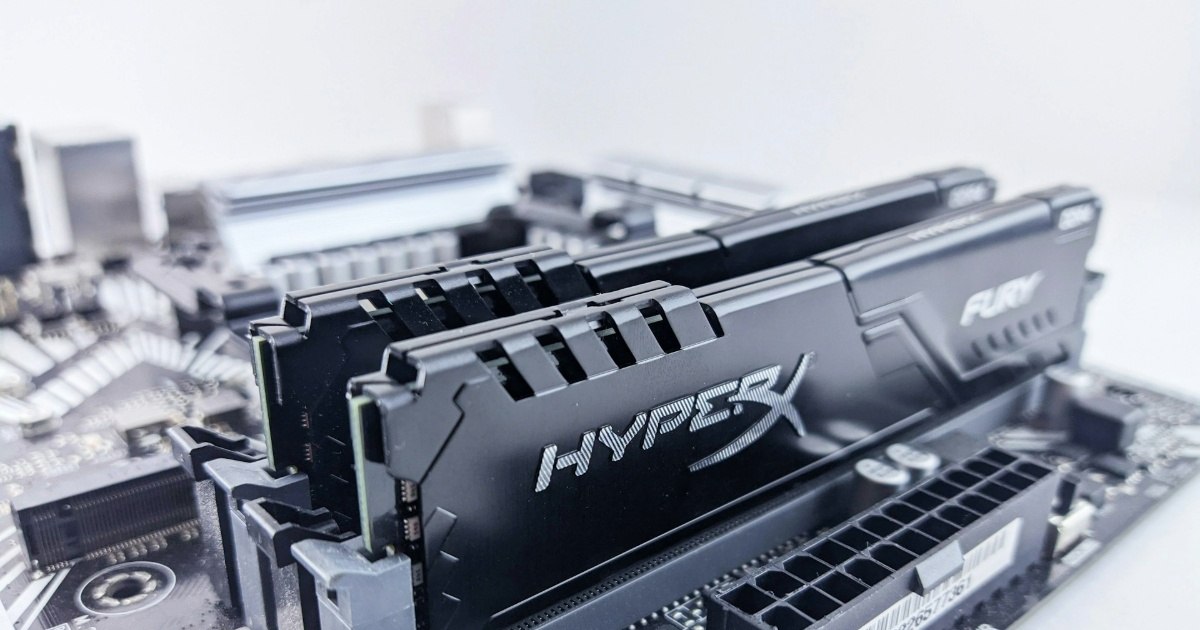
Among the components of the computer with an important role in performance and not only, there are also RAM memory. It temporarily stores information and data that the processor must access quickly. At the same time, it is the one that allows the system to work more efficiently.
Provides quick access to the data used frequently, without the need to be constantly read from the storage unit, which is much slower. It is crucial for multitasking. We recommend for ordinary tasks a RAM of At least 8 GBwhile in the case of gaming the most suitable would be that of 16 GB.
And the speed of RAM should be good to ensure your desired performance, regardless of tasks. Faster RAM can improve the system response times. And in terms of Dual Channel and Single Channelwe can tell you that the use of two RAM modules on two different channels can improve the performance and provide a larger bandwidth.
Power supply
To protect your computer components and provide stability to your PC system, power supplyas it is responsible for providing electricity to the system, it must be a stable, of good quality. A good power source will provide stable power and will have enough capacity to support PC components.
In this regard, see a power supply of 650W or 750W. It also looks for the 80 Plus certification, because it is the one that guarantees a better energy efficiency. You may not know, but this helps more than 80% of the energy consumed to turn into useful power.
The storage unit
Among the components of the computer you should not neglect are the storage unit. In this regard, we distinguish two main types of storage units: Hard Drive Drive (HDD) and
Solid State Drive (SSD).
HDDs are cheaper and have a higher storage capacity, but their disadvantage is that they are slower and more susceptible to physical damage. On the other hand, SSDs are much faster, because they have no mobile parts. The disadvantage of SSDs is that they are much more expensive. If you want, you can use SSDs for the operating system and HDDs for data storage.
Other components of the computer you can prioritize are: PC housing, cooling system, peripherals. Housingfor example, plays an important role in cooling the system. You can choose between compact PC case models ideal for the construction of Home Theater systems and larger carcas, which allow expansion and improvement of your computer system.
The cooling system must be effective in order to prevent overheating of computer components. It may include fans, water cooling solutions or radiators that extend the lifespan of the components.
Peripherals such as keyboard, mouse, monitor, printer, scanners, speakers, headphones and game controllers are also among the components of the computer that deserve attention.