
Whoever wants to provide a slightly better game experience, must prepare to invest in a few PC components for essential gaming. It plays an important role in the gaming experience the processor, the graphic plate, the RAM, but also the motherboard. In addition, there would be the peripherals as a gaming keyboard, the gaming mouse, but also the PC case, the cooling system, the SSD or the HDD and the power supply.
Photo: Unssplash
The most important PC components for gaming
We are talking about the most important PC components For gaming, those components needed to ensure a top play experience. We review a few reasons why PC components have to pay much more attention than others if you are a gamer and you want more from your gaming PC.
The processor or CPU
The processor is the brain of your computer and has a direct impact on the general performance of the system, especially in games that emphasize logical calculations and AI.
What does the processor do: processes the instructions of the games and the operating system
What to be careful about when choosing a processor: Large number of nuclei and execution yarns (threads), high frequency (GHz), modern architecture (eg AMD Ryzen 7000 or Intel Core 14th Gen)
There are 6-8 core processors, but when it comes to gaming you can focus on multiple core processors to ensure a better gaming experience. It is also very important that the processor you choose to be compatible with the motherboard, ie with the socket and the chipset.
Video card
The video card is among the most important PC components for gaming, because it is responsible for the game graphics. This determines visual quality and performance in FPS (Frames per second).
What does he do: Process images, visual effects, lighting, shadows, ray tracing etc
What to be careful about when choosing a video card: Vram (minimum 8GB for 1080p, 12–16GB for 1440p/4K), performance in gaming benchmarks, technologies such as DLSS (NVIDIA) or FSR (AMD)
Popular examples of video cards in 2025 would be Nvidia GeForce RTX 4070 Ti, Nvidia GeForce RTX 5080, 5070, 5090, AMD Radeon RX 7800 XT or AMD Radeon 9070 XT. If you use the exclusive PC for gaming, we recommend you to invest in a more efficient video card, possibly in the latest, state-of-the-art models.
RAM memory
Responsible for speed when it comes to multitasking, the RAM is the one that offers temporary workspace for the system and applications. The more RAM you have, the more your PC will be able to run more efficient and faster applications and games simultaneously.
What does he do: Store the temporary data used by CPU and GPU
What to be careful about when choosing RAM:
Capacity (16GB is standard, 32GB is ideal for intense gaming + streaming), speed (3200–6000 MHz, depending on the platform – DDR4 or DDR5), Dual Channel for higher tape width
As for the format, DDR5 is the newest standard, it is capable of offering higher performances, but it also has a higher price. We recommend that you do not treat the choice of these PC components with superficiality, as the RAM, for example, affects loading times and fluidity overall.
SSD
In 2025, SSD is an essential component for any gaming PC. Compared to the old HDDs, SSDs are dozens of times faster, offer smaller response times and fast loading. In this regard, we distinguish:
·
SSD SSDs – cheaper, slower
·
NVME SSDs – fast, PCIE connection, especially recommended for gaming
As for the recommended capacity, we recommend at least 1TB. At the same time, we advise you to install the operating system and SSD games, and the media files on a secondary HDD if you need a large space.
The motherboard
Although it does not fall into the category of PC components that directly influence the gaming performance, the motherboard is the one that ensures the compatibility and stability of the entire PC.
What does he do: connects all components between them, from CPU, GPU, RAM, to SSD and others
What to be careful about when choosing a motherboard: Make sure the socket is compatible with your processor, the chipset to support overclocking (eg: B650, X670 for AMD or Z790 for Intel), have enough RAM slots, M.2 ports, modern USBs, PCIE 4.0/5.0 support
The most popular motherboard formed are ATX, which is a standard format, Matx, a smaller format and ITX which is a more compact format. We recommend that you do not neglect the motherboard and invest in a good motherboard, especially if you want to upgrade your system in the future.
PC housing
The PC casing is not only among those aesthetic PC components, which do well. A PC casing, especially if it is well ventilated, will promote a suitable air flow and maintain the components of the colder PC.
What to be careful when choosing a PC housing:
· Provides sufficient space for video card, cooling system and cables
· The airflow to be good, with places for fans and dust filters
· More cable management possibilities
· Have useful front ports (USB, audio)
· Have RGB lighting if design is an important aspect for you
· Have enough fans
Finally, choose a housing that gives you functionality, not just attractive design due to RGB lighting.
peripheral
For a complete gaming experience, do not omit even peripheral as:
·
keyboard -Mechanical keyboard for tactile feedback and durability, possibly with RGB lighting
·
gaming mouse – with ergonomic design, adjustable DPI and rapid sensors for precision
·
Gaming monitor -1080p for entry-level PCs, 1440p for midrange, 4K for high-end, refresh rate of at least 144Hz
·
gaming headphones – for surround sound, quality microphone and sound insulation
·
gaming chair – to be ergonomic, to provide comfort to the column and to prevent fatigue
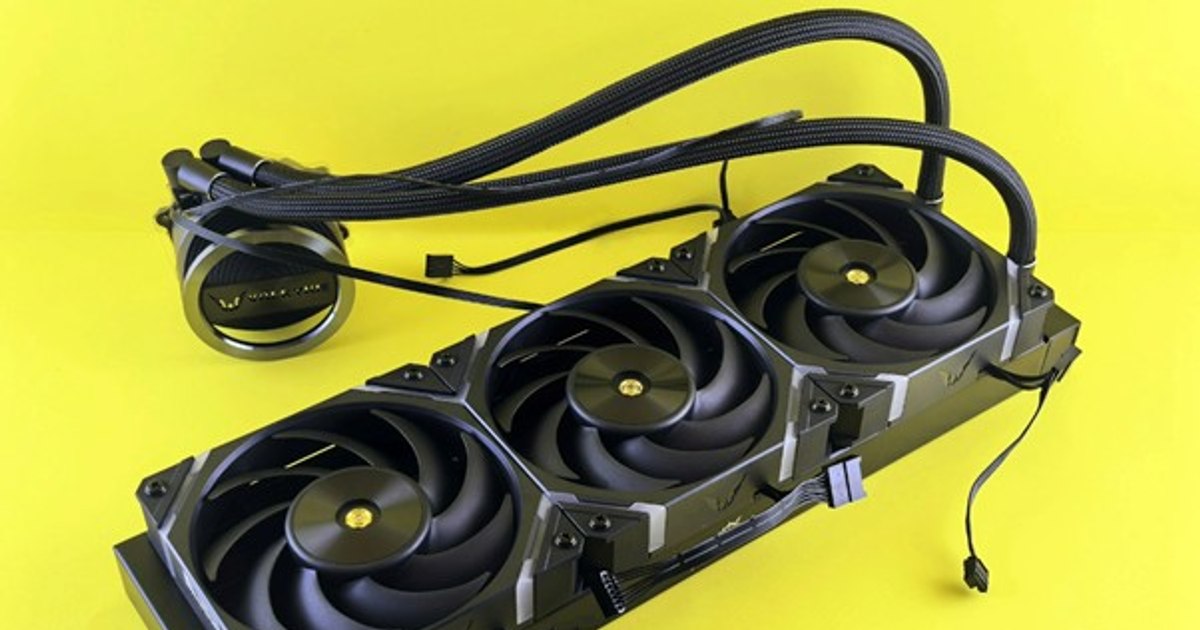
As for the cooling system, you can opt for air cooling that is more efficient and accessible or for liquid cooling (AIO), ideal for overclocking and high-end systems. All these PC components play an important role, as a result they treat the choice of each component with maximum care.